

































- you can now create light primitives
- some new preferences
//
Uploaded v0.91
NEW: Preferences: Plane helper size, axis helper size, default subdivision for all primitives, option for creating UVs, option for 2 methods of creating cube/grid prim
NEW: Free cube drawing (uses scale!)
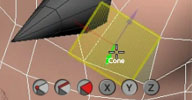
NEW: Draw cube/cone/cylinder in both directions (downwards/upwards to axis)
NEW: Tool scope buttons. Work on grid/selection/everything.
NEW: Autocreate texture projections (you can disable it in preferences)
NEW: Merge button. Merges primitives (or last prim if you shift+click) to selected mesh.
NEW: accurate snapping for "height" objects. So e.g. you can create cylinder between two faces.
FIX: Cube drawing
FIX: repeat last primitive (undo issue, subd. issues)
FIX: Wacom issues
FIX: snapping
FIX: subd. surface raycast bug
FIX: losing hotkeys
Hotkeys:
ENTER - show primitive PPG
(Shift+) J,K,L - change primitive subdivions
Now about merge button. It uses XSI Merge op. So you will loose all animation on selected mesh! I think also there is some bug in SAP because you will get some weird warning about autofixing clusters (doesn't happen in 2012 sp1)
Step by step what happens after you click merge (old mesh = selected object):
1. It runs merge command. New object is created.
2. It transfers all properties from old object to new object.
3. Changes new object name to old object name
4. Reconnects all children of old object to new object
5. Parents new object to old object's parent
//
Hello guys,
Here's new tool for primitive creation, >2012, x64 xsiaddon attached.
Tested on only 2 computers, so please reports bugs (and suggestions)
v0.9
interactive primitive drawing. By default it's drawing prim "in front of camera". If you want to draw onto grid, turn on grid snapping and turn on snap (or hold ctrlkey) before drawing.
Supports curve, nurbsmesh, polymesh (full frame) and grid aligning (x/y/z axis as up vector)
ISSUES:
- skew scaled objects will give bad aligning. I wont fix this tho...
TODO:
-merge to selected mesh button
-diffrent drawing mode for all prims (like grid, from left to right corner)
-right now height of objects (cylinder, torus,cone...) is obtained by holding RMB after LMB drawing.
-?


 so awesome. waiting so long time for this function in Softimage.
