




































These few pictures were done mainly to help my own knowledge. I'd believe it's just a start, and I won't be only poster here

The thread is *not* for comparison with another renderers, it's just for sharing our experiences with 3delight.
For now, it's mainly about 'native' subsurface scattering in 3dl. 3delight has a built in 'physically plausible' Subsurface light transport.'Physically plausible' here exactly means that you can use built-in presets (apple, chicken, cream, marble, skin, milk..) and get desired look. Final look reminds to some well known MR shaders, such as Daniel Rind's Diffusion or Mark Davies Subscatter.
There a few advantages too. 3delight's subsurface is able to utilize the IBL lighting too, it's able to avoid unwanted effect of 'cavities' (for example, eye holes on typical 3d character), and it's faster.

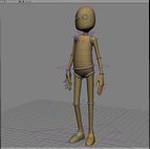
'Skim Milk' preset... render time is from 2 to 6 minutes.
bigger picture...

Custom 'deep blue ice setting, not exactly sure is it a correct ice..render time is from 5 to 15 minutes.
bigger picture...

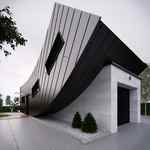
'Marble' preset on curtains
bigger picture...
Subsurface adds a bit more of indirect lighting. Anyway, most of indirect lighting is bounced from floor. There is only one direct light for sun.
As it is noticeable, there is just one 'bounce'. It would be interesting to make some 'multiple bouncing' procedure. Render time: from 4 to 15 minutes.
Fast setup is as much 'simple' lighting (shadow maps instead of ray trace area, about 8 for point based color bleeding shading rate). Quality setup would be default 2 for shading rate, area shadows. Here's fast setup.
To allow presets from 3dl subsurface attribute, I've used a bit of custom shader, slightly modified sl sample from 3delight's doc's, plus screen composite for diffuse, specular and environment reflection.
As it is for now, 3dl subsurface presets are accessible only on standard XSI shaders, but it seems they are a bit limited (I think it's only 'forward' shading normal, instead of 'all directions'). Interfaces for mi_sss_skin stuff seems to be just a painting over fixed preset, as those PPGs doesn't provide interface for scattering values, IOR, so on.


