WireD shader
Written by Reinhard Claus 11/25/2005
This mental ray shader outputs the distance from the rendered point to the closest edge of the object's underlying wireframe structure. It works only in combination with the supplied MR Geoinformation XSI operator which sends information about the object's geometry to mental ray.
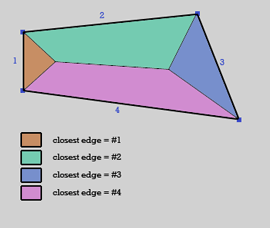
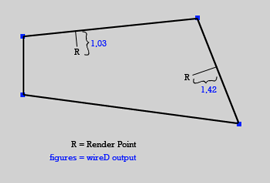
This is a 2D representation of the simple mechanics behind WireD. The first image shows the partitioning into minimum distance areas (volumes in 3D) of each edge. Once such an area has been determined, the distance to the corresponding edge is computed and output (Second image). Follow this link for a walkthrough-style tutorial on this shader.
Here's a video tutorial created by Gene Crucean that shows the process of creating a shaded/solid wireframe render with this shader.
Installation:
Drag and drop the two .xsiaddon files into the main XSI application window.
Usage:
 Select a polygon mesh object.
Select the menu entry "Get->Property->MR
Geoinformation".
In the render tree, select "Nodes->Texture->More...".
Then, inside the preset dialog, pick the WireD addon path from
the Paths menu. Select and open the WireD shader preset.
The render tree node now outputs a scalar value which you
can either use to blend textures or to modify other shader's parameters.
Inside the shader properties, you can limit the range of the distance gradient by specifying
a maximum distance. Using lower max distance settings also increases rendering performance.
Inside the operator properties (found under the object's UserDataBlob property), you can choose whether you want
the distance calculation to include all edges, or just the hard edges of the object.
Gallery:
(each picture set up in < 5 min)
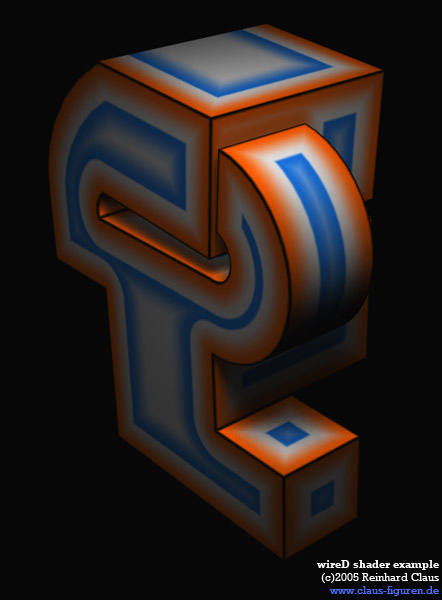
WireD driving a color gradient:
WireD plugged into a fractal node’s "frequency multiplier", in turn driving phong diffuse/specular and a displacement map:
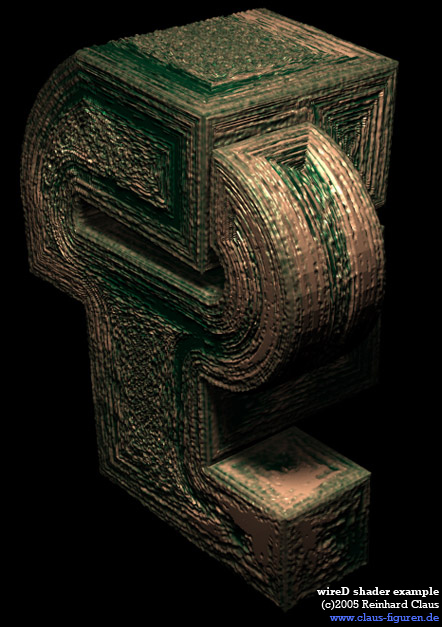
In the previous sample, a second WireD, limited to a low maximum distance, has been used to protect the object edges from being displaced - diplacing the object edges would have "ripped" them apart due to being hard.
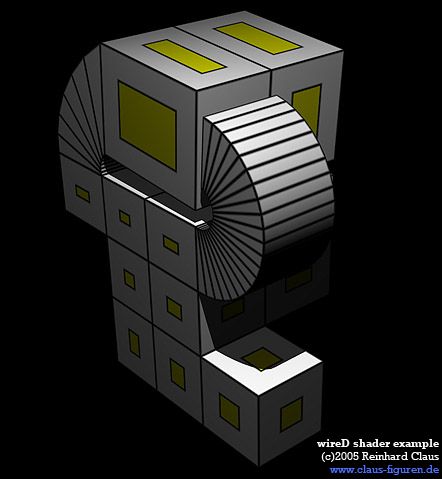
another color gradient example, this time with "hard edges only" unchecked:
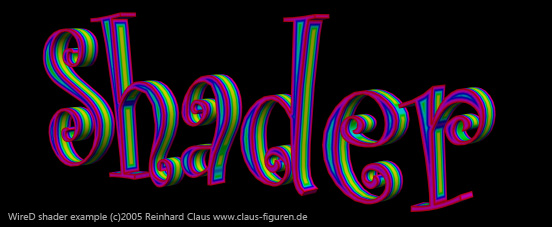
WireD applied to text:

download (win32 only) MRGeoInfo.xsiaddon - WireD.xsiaddon - go to the tutorial
addon and instructions are (c)2005 Reinhard Claus / www.claus-figuren.de
Thanks to Gene Crucean for creating the video tutorial (link above)